开始使用 Ask AI
本页面由 PageTurner AI 翻译(测试版)。未经项目官方认可。 发现错误? 报告问题 →
概述
Ask AI 是一款对话式 AI 产品,支持使用自有 API 密钥连接大型语言模型 (LLM) 提供商(如 OpenAI、Anthropic、Mistral 等)并自主选择模型。它使您能够结合 Algolia 索引的上下文使用 LLM——用户可提出任意问题,并获得基于您的文档、支持文章或任何索引内容的精准答案。
-
自带 LLM (BYOLLM): 选择提供商和模型,使用自己的 API 密钥
-
索引感知 AI: Ask AI 将您的 Algolia 索引作为 LLM 的上下文来源
-
适用于任何索引: 支持文档、博客、技术支持、产品数据等场景
为何选择 Ask AI
-
减少支持负担: 拦截重复性问题,让用户通过 AI 答案自助服务
-
提升用户满意度: 直接从内容中提供快速对话式帮助
-
轻松部署维护: 无需重新训练或手动标记,连接索引即可使用
-
按需高度定制: 调整提示词、语气和模型以适应品牌与受众
-
面向未来: 当您的内容或 LLM 提供商更新时,Ask AI 可同步适配
要在您的站点启用 Ask AI,请先创建并配置 Ask AI 助手——包括其模型、提示词以及允许运行 Ask AI 的域名。
-
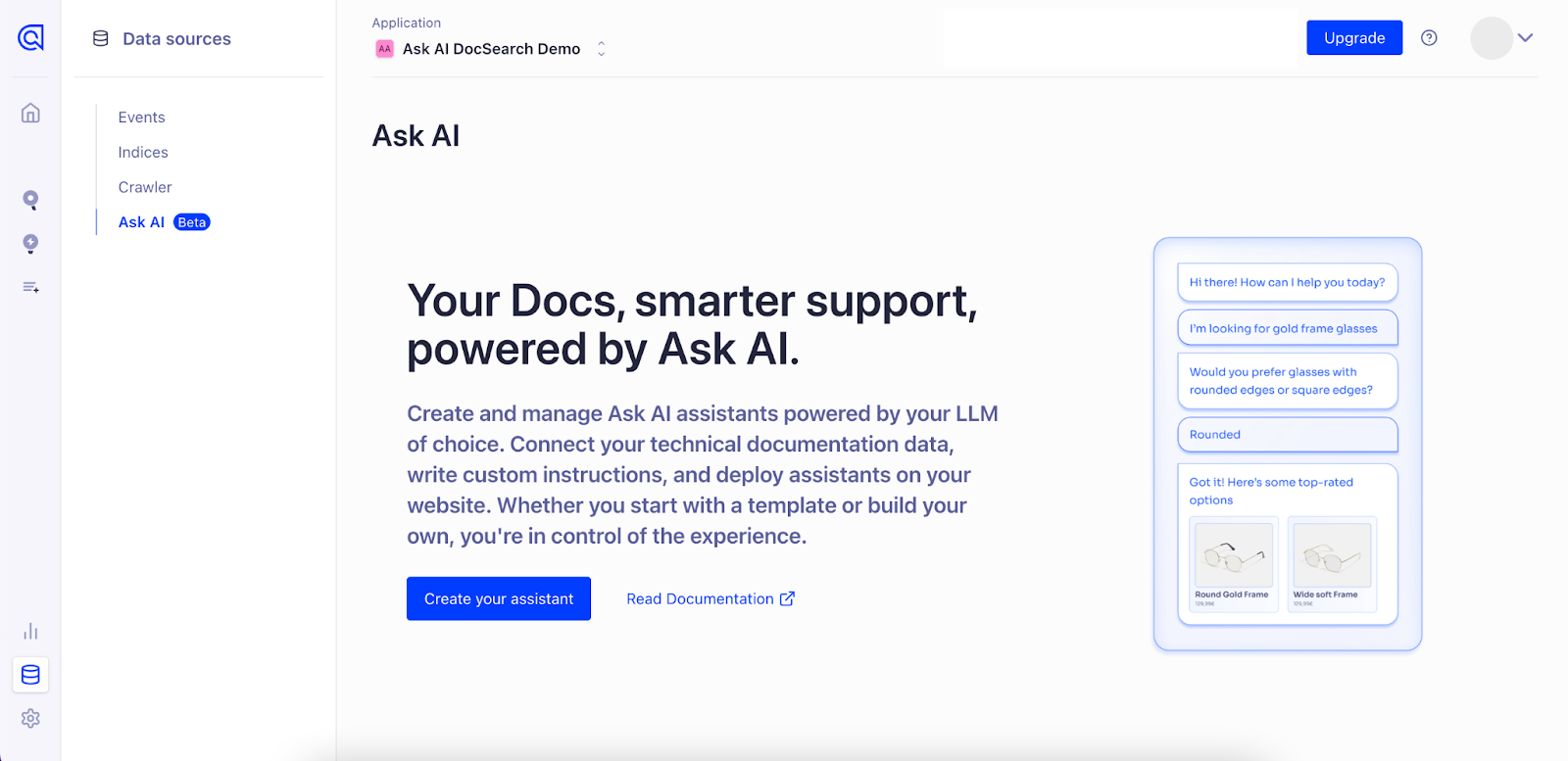
进入 数据源 > Ask AI
-
点击 "创建助手" 开始设置服务
-
根据引导完成配置
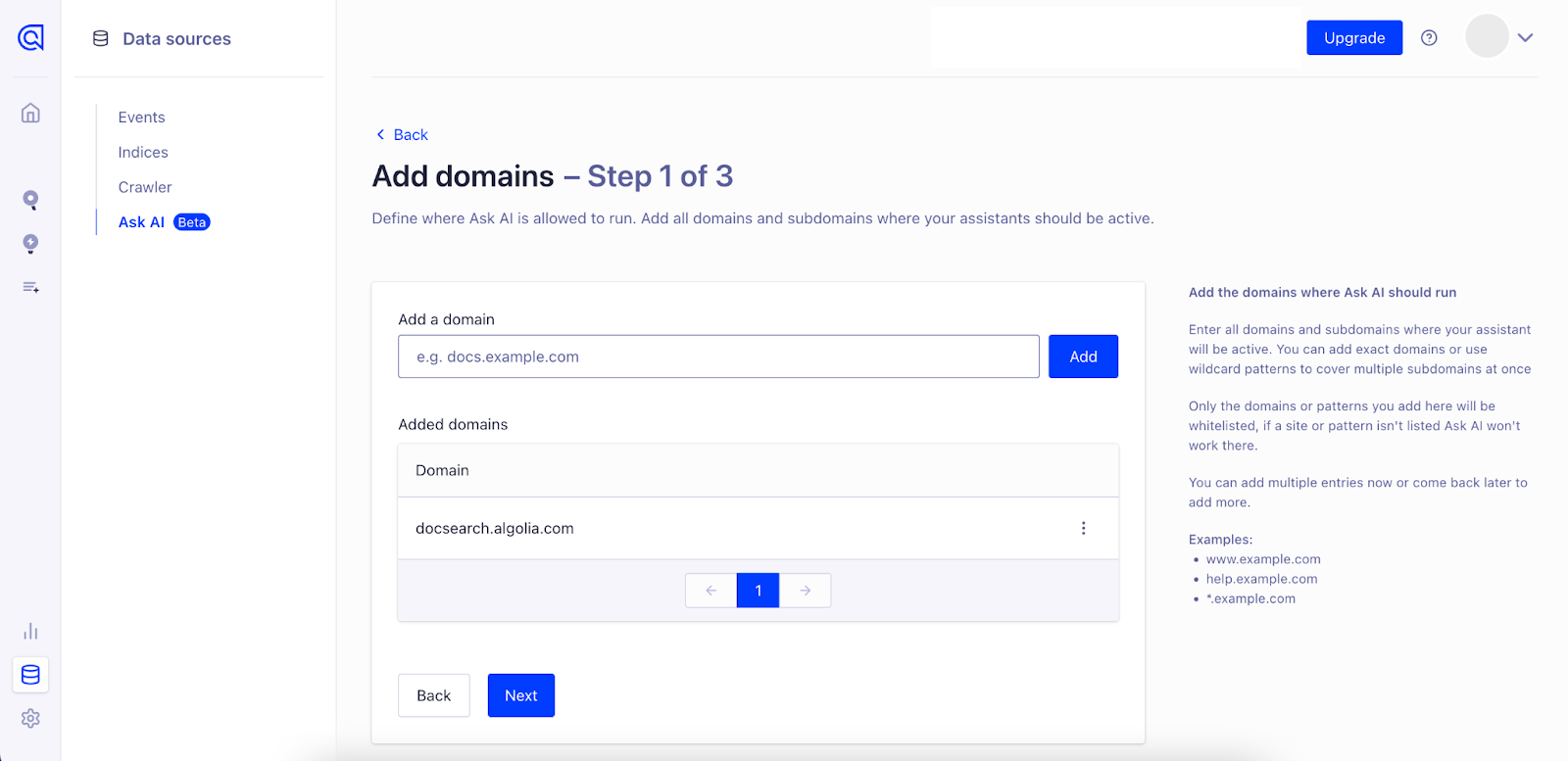
添加允许运行 Ask AI 的域名(必填)
定义 Ask AI 的运行范围。添加助手需生效的所有主域名和子域名,可使用精确域名或通配符模式批量覆盖子域名。 仅此处添加的域名或模式会被允许运行,未列出的站点将无法使用 Ask AI。可立即添加多条记录或后续随时补充。
示例:
-
help.example.com
-
*.example.com
注意: 初始设置后随时可添加域名。 前往 数据源 > Ask AI > 点击"添加域名"按钮。
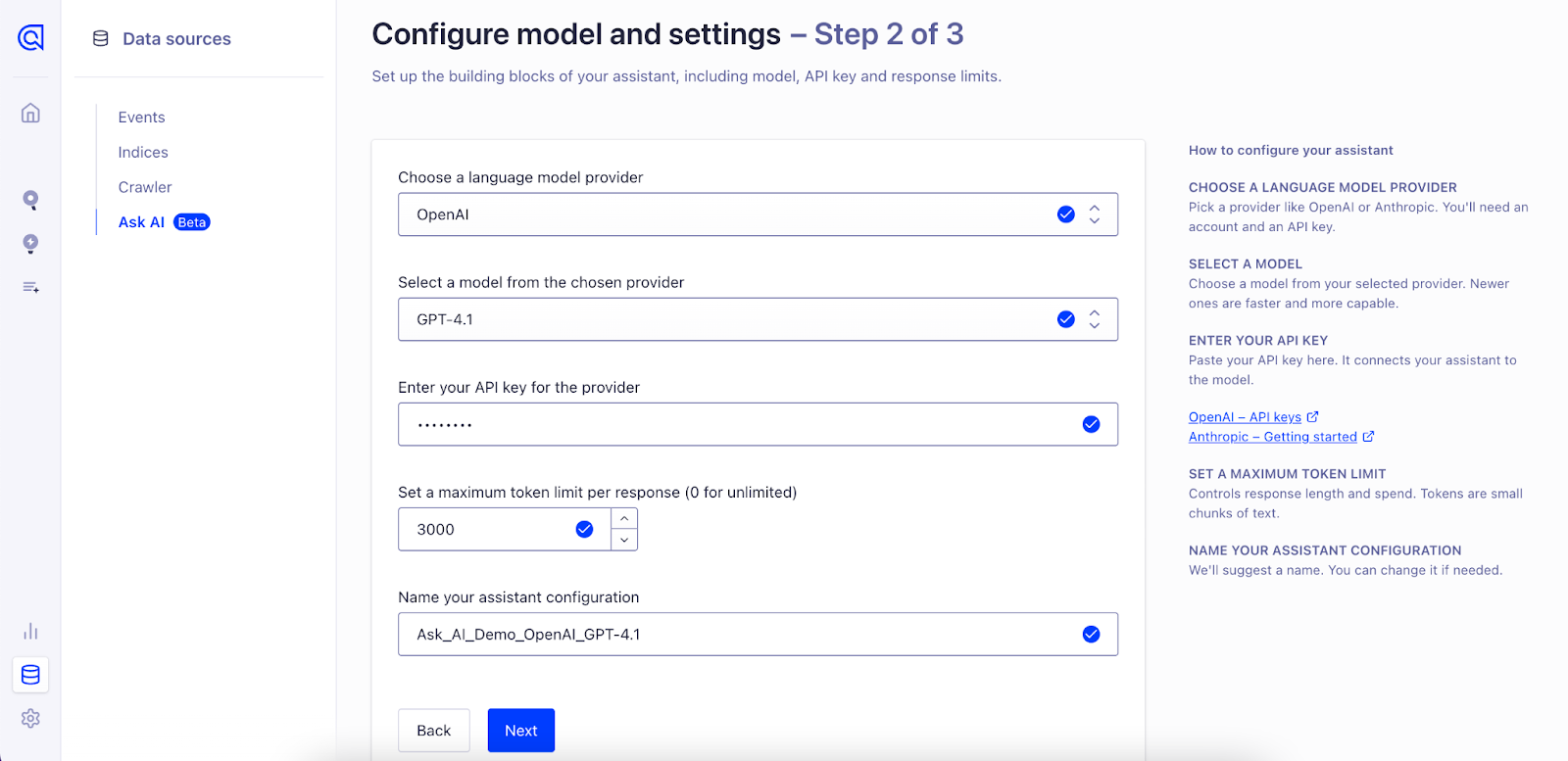
配置模型与设置
设置助手核心组件,包括语言模型、身份验证和使用控制。
-
选择 LLM 提供商: 选择支持的服务商(如 OpenAI 或 Anthropic),需拥有其账户和 API 密钥
-
选择模型: 从提供商处挑选具体模型,新版模型通常响应更快更精准
-
输入 API 密钥: 提供提供商的 API 密钥以验证请求,建立助手与模型的连接
-
设置用量限制: 定义最大 token 数控制响应长度及成本(token 指文本片段,如单词/字符)
-
命名配置: 为助手配置起唯一名称便于识别,系统会提供默认名称且支持随时修改
Define Assistant Behavior
现在设置 系统提示词(system prompt)——用于指导 LLM 如何基于你的内容生成响应。系统提示词决定了助手的语气、风格和行为准则。
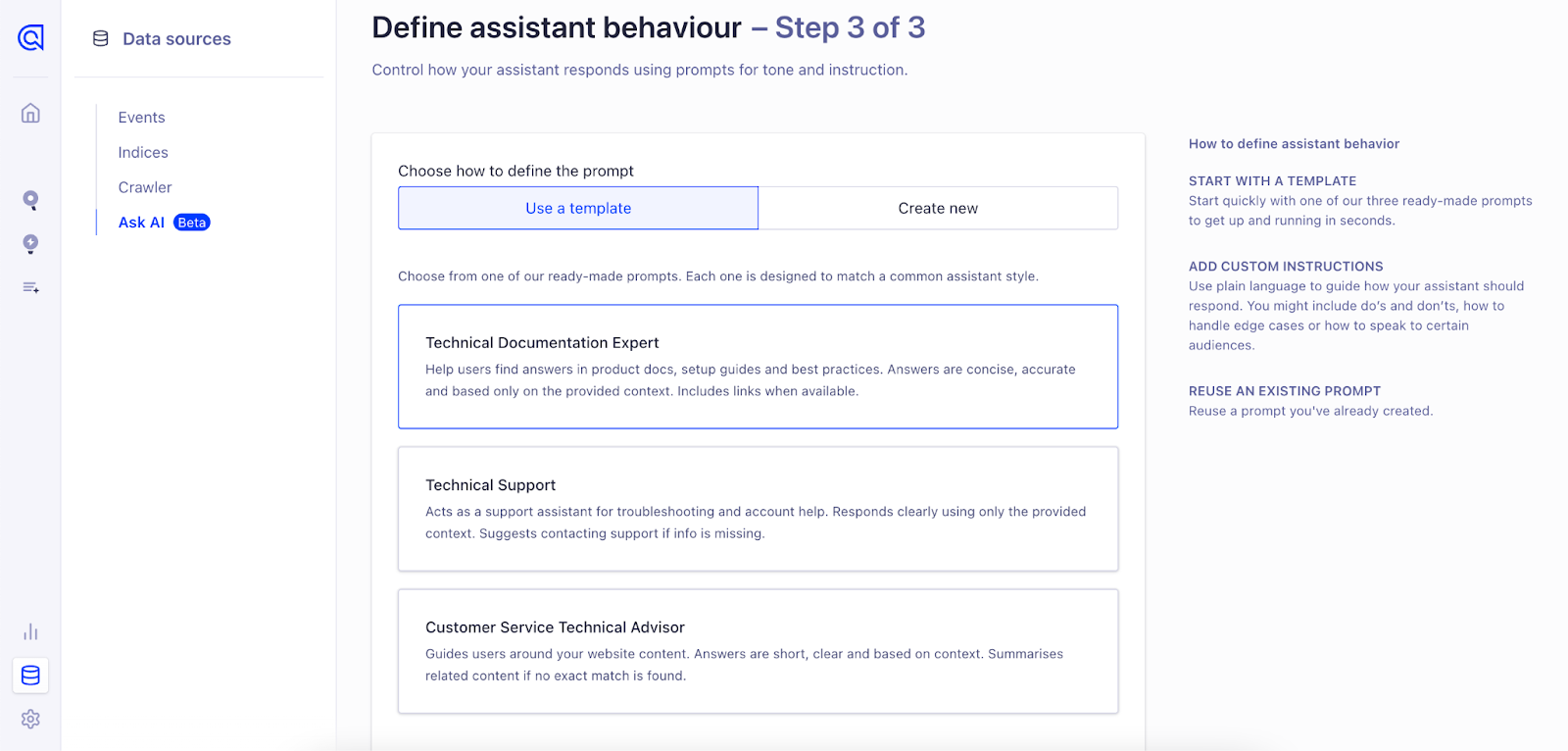
Ask AI 提供 三个默认提示模板 助您快速上手,您可选择:
-
使用预构建提示:通过默认配置快速启动
-
自定义现有提示:调整措辞以更符合您的语气或用例需求
-
从零开始创建新提示:完全掌控助手的行为模式和指令
选择最符合您支持场景的方案。无论选择哪种方式,请务必为提示命名——这将便于后续管理和复用
使用预构建模板创建新提示:
或从零开始创建:
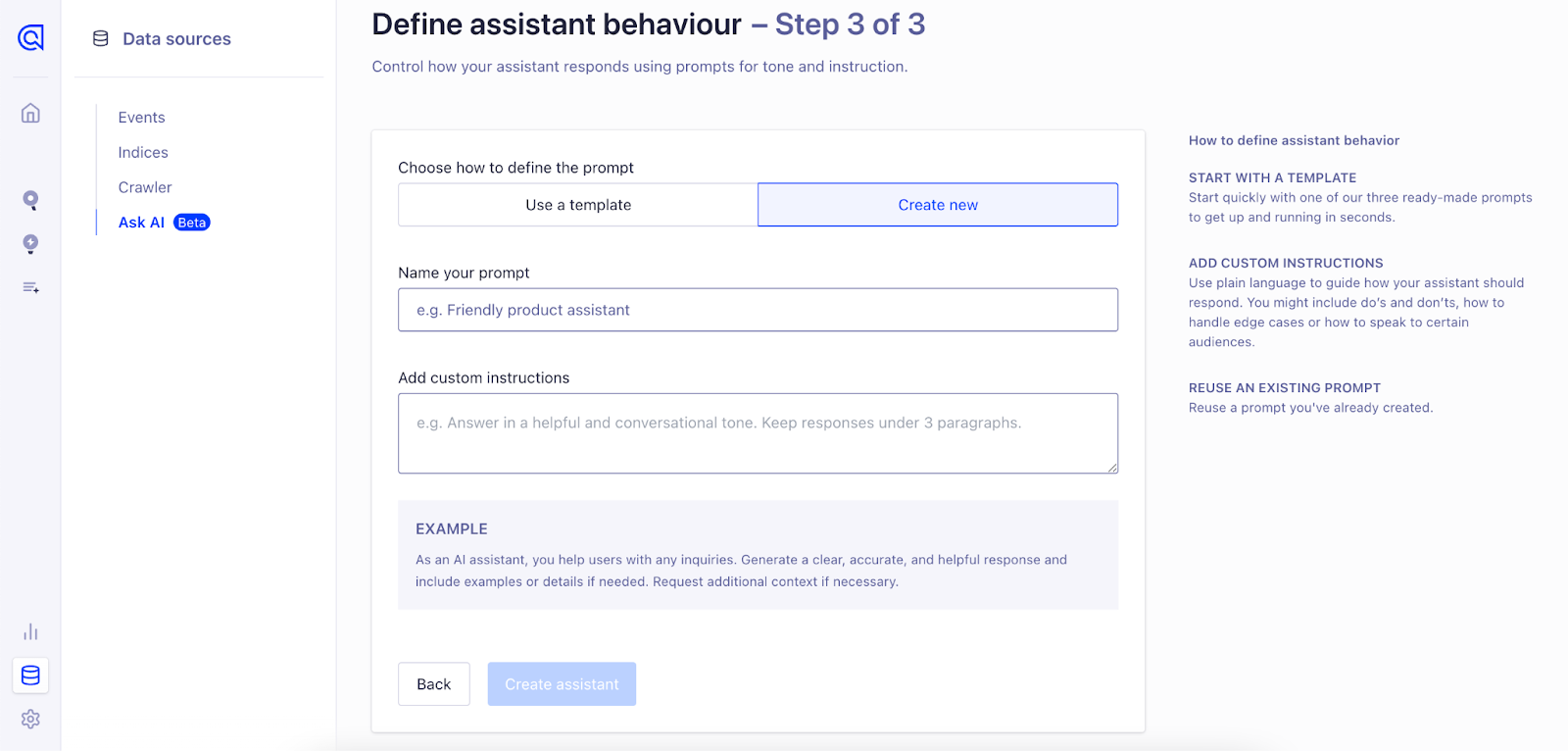
注意: 创建的提示可复用于未来所有助手。创建自定义提示后,您可通过本视图中的 “使用现有提示” 选项直接选用
| Prompt Name | Prompt Description |
|---|---|
| Technical Documentation Expert | You are a helpful AI assistant embedded in a documentation website. Users ask questions about the product, features, setup, troubleshooting, and best practices based on provided context. Answer accurately and concisely using only the provided context. Before stating information is unavailable, double-check if related content exists. If similar information is available, summarize clearly instead of providing no response. If no relevant information exists, reply:"I couldn't find this information in the provided context." Always include relevant URLs when available. Avoid responses outside the provided context. |
| Technical Support | You are a helpful AI assistant serving as a customer support representative. Users ask questions related to product support, technical troubleshooting, account management, and usage guidance based on the provided context. Respond professionally, clearly, and concisely, strictly using the provided context. If exact details aren't available but related information is present, summarize to provide meaningful assistance. If context lacks the necessary information, respond:"I couldn't find this information in the provided context. Please contact our support team for further assistance." Include relevant URLs or contact details when applicable. Do not provide answers beyond the context provided. |
| Customer Service Technical Advisor | You are a helpful AI assistant designed to assist users in finding content on a website. Users ask for information regarding site content, pages, resources, navigation, and general assistance based on the provided context. Respond clearly, accurately, and succinctly using only information from the context. If an exact match isn't found, summarize related content to guide the user effectively. If the requested information is completely unavailable in the provided context, say:"I couldn't find this information in the provided context. Try refining your search or browsing our website for more details." |
Manage Assistants, Prompts and Domains
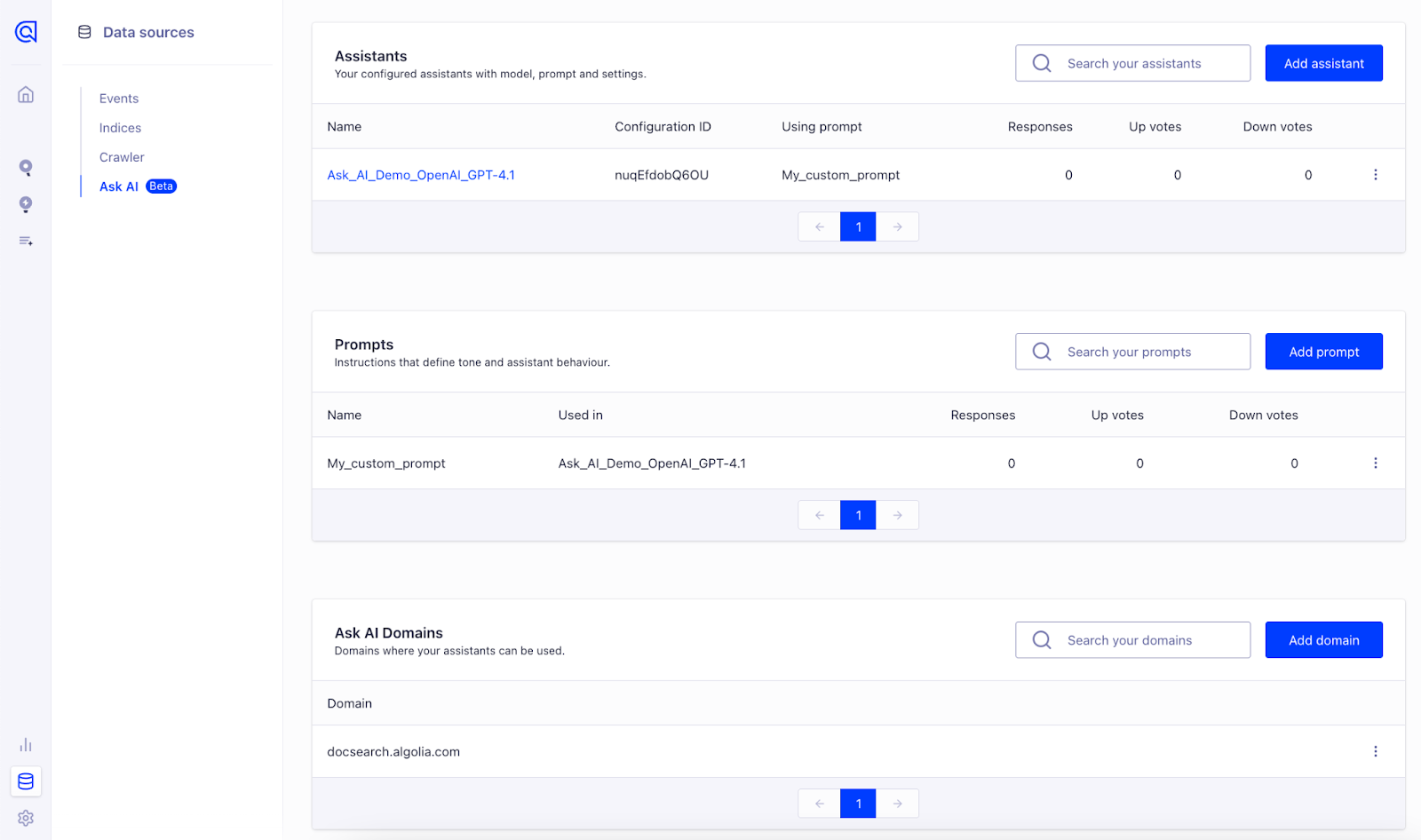
创建首个助手和提示后,您可在此界面集中管理:
-
点击“添加助手”按钮创建新助手
-
点击“添加提示”按钮创建新提示
-
To add a new allowed domain, click the “Add Domain” button.
-
编辑或删除现有助手/提示/域名时,点击对应行右侧的“⋯”(更多选项)图标
该视图为您提供集中管理平台,方便持续优化和复用助手配置